Getting Started for the Organizer
Last updated 2026-09-28
The Organizer is the person who controls the session — who sings, who listens, what is recorded, and what plays back. This guide walks you through logging in, understanding the control panel, and running your first session.
New to Lyrekos? Start with The Lyrekos Quick Start Guide — CTO Lloyd Dickman's walkthrough of an Organizer's first session, including three worked examples (Library backing track, Lead Performer + Accompanist, and cascading recordings).
Before starting, make sure you have completed Getting Set Up and Calibration.
Step 1: Go to app.Lyrekos.com
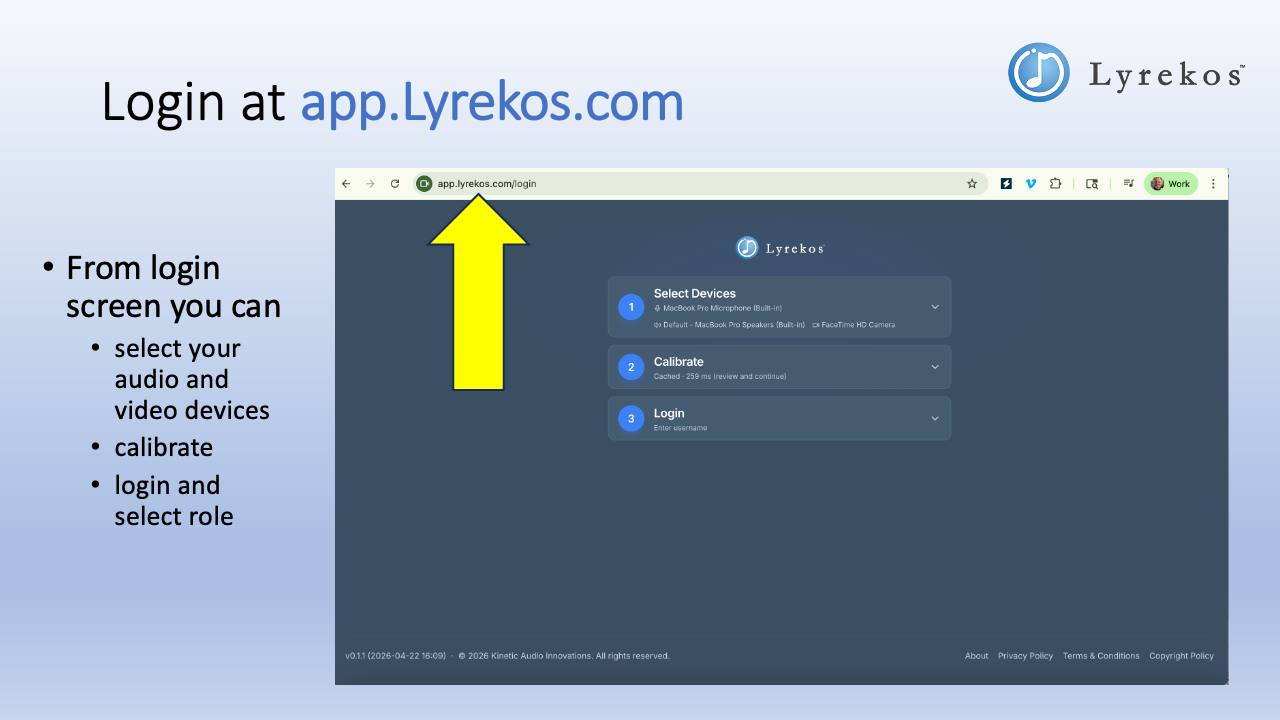
Open your browser and navigate to app.Lyrekos.com. Any modern browser works — Chrome, Firefox, Safari, or Edge. You will land on the login screen, which has three steps you complete in order: select your audio and video devices, calibrate, then log in and choose your role.
Step 2: Select Your Devices and Check Your Audio
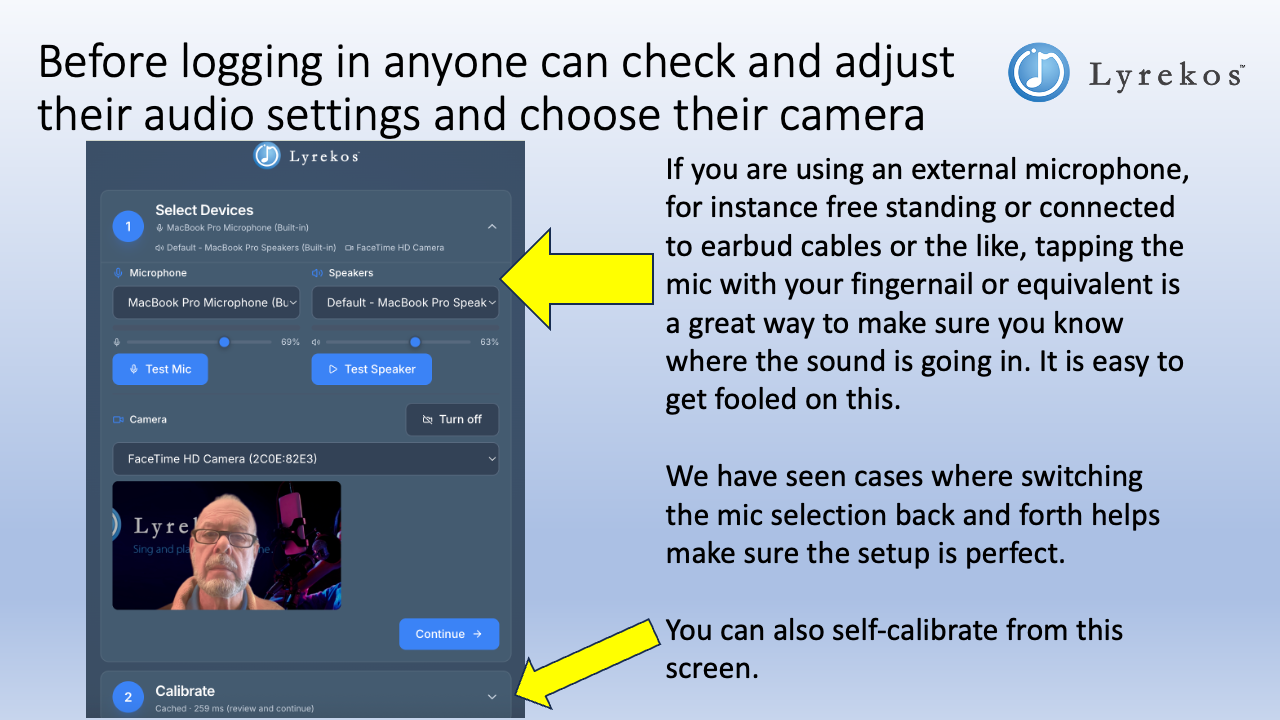
Before logging in, expand Select Devices to confirm your microphone, speakers, and camera are correct. If you are using an external microphone, this is a good moment to tap the mic cable with your fingernail — you will see the level meter respond, confirming sound is getting in. You can also run a quick self-calibration from this screen.
Step 3: Log In and Choose the Organizer Role
Enter your username, select your session, and choose Organizer from the role dropdown.
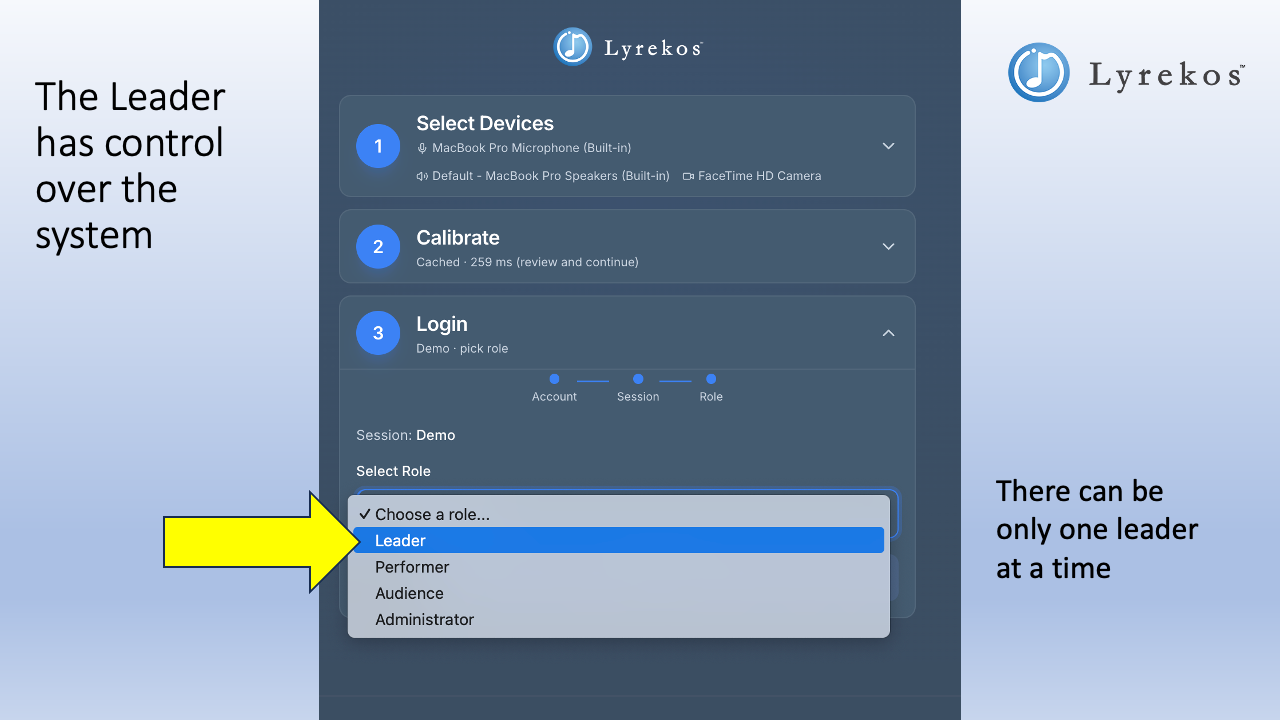
There can be only one Organizer at a time. If someone else is already logged in as Organizer for the same session, you will need to coordinate with them before switching.
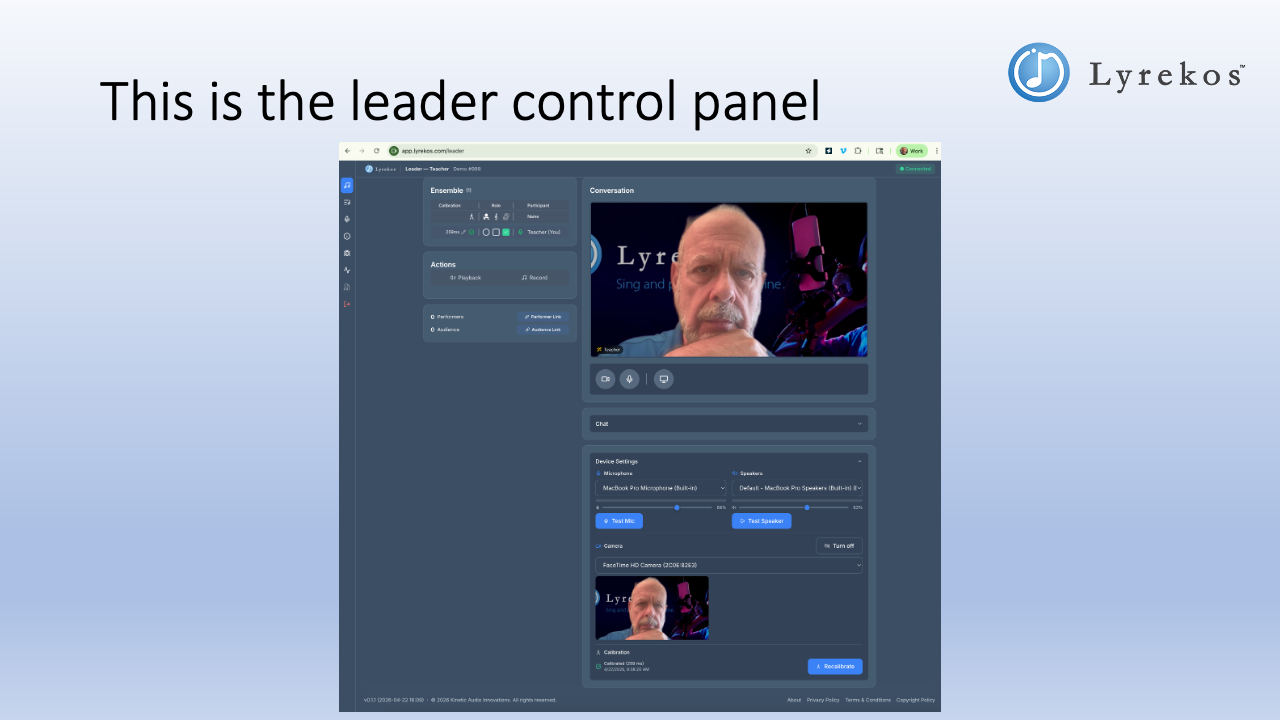
The Organizer Control Panel
Once you log in as Organizer, you have full control over the session.
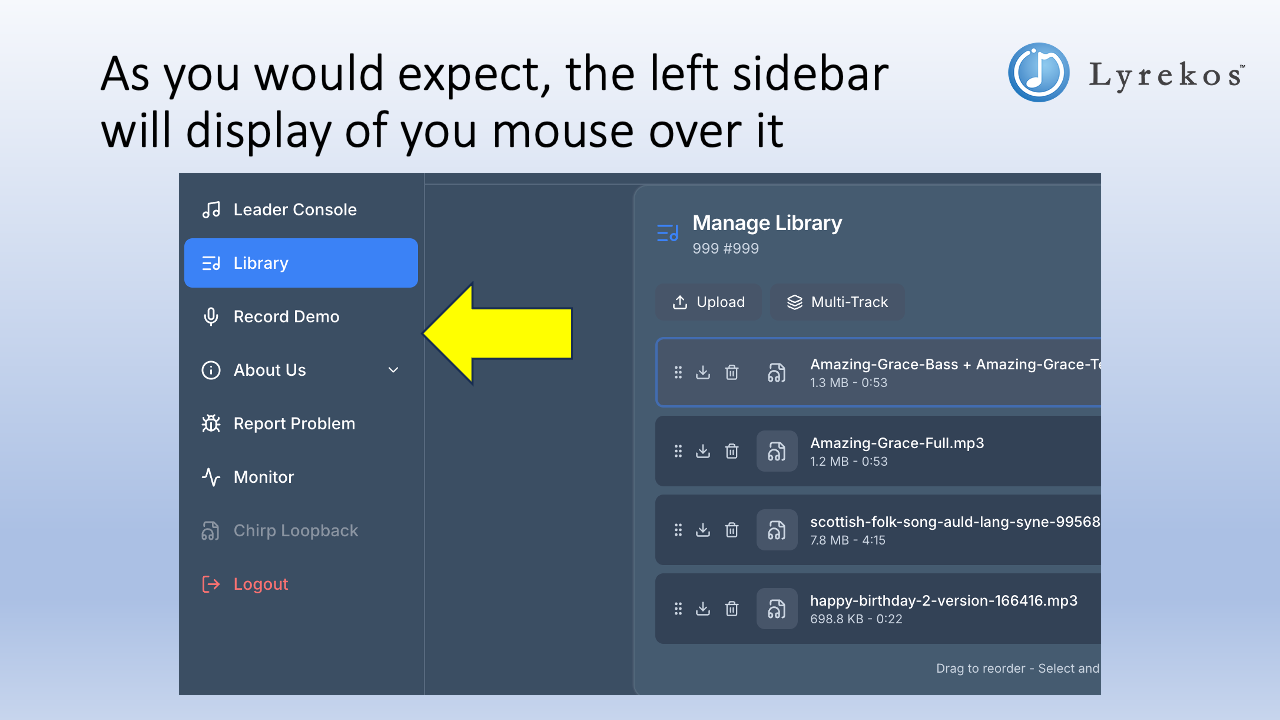
The left sidebar provides access to all Organizer tools. Mouse over it to expand the navigation at any time.
What the Organizer Can Do
From the control panel the Organizer can:
- Initiate calibration for any participant in the ensemble
- Use the Library — upload, download, record, or play backing tracks
- Invite participants — generate separate links for Performers and Audience members
- Assign roles to each participant (see Roles below)
- Adjust sound settings — mix levels for themselves and participants
- Report problems or submit feature requests directly from the app
- Chat with everyone in the session or message one specific person privately
Roles
Every participant in a Lyrekos session has a role. The Organizer assigns roles and can change them at any time. Note that these modes only matter when sound is being recorded. If people are in conversation, like with Zoom, or if the Organizer is playing back some recorded material, these roles have no effect.
There are three top-level participant types:
- Organizer — controls who sings, who listens, and what is recorded. Can be a conductor, teacher, maestro, or director. There is one Organizer per session — the person who created it.
- Performer — allowed to create music as part of the session. A Performer can hold any of the participant roles below. The Preview Edition supports up to 12 Performers per session.
- Audience — allowed to listen only. The Preview Edition supports up to 4 Audience members per session.
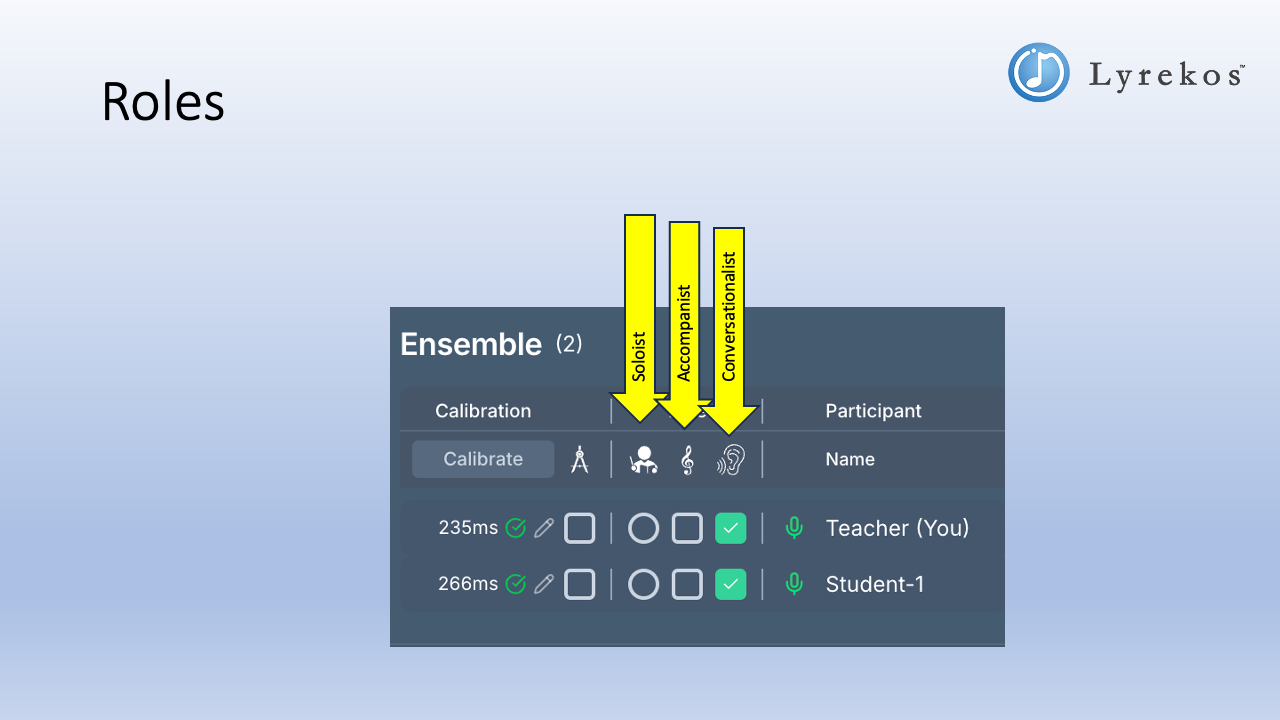
The Organizer and Performer can each be assigned one of the following participant roles:
| Participant role | What they do |
|---|---|
| Lead Performer | Often but not always the Organizer. Responsible for recording or uploading tracks or stems and for sending out live or prerecorded audio to all accompanists and audience members. Can be either the Organizer or a Performer. |
| Accompanist | Hears what comes from the Lead Performer and responds appropriately. |
| Listener | Listens. Talks if in Conversation mode. Listening is the only role an Audience member can take. |
The Organizer can set each participant's role directly from the Ensemble panel:
Operating Modes and the Actions Panel
The controls available to the Organizer — and what participants can do — are context dependent and change depending on which mode you select. The Actions panel reflects the current configuration.
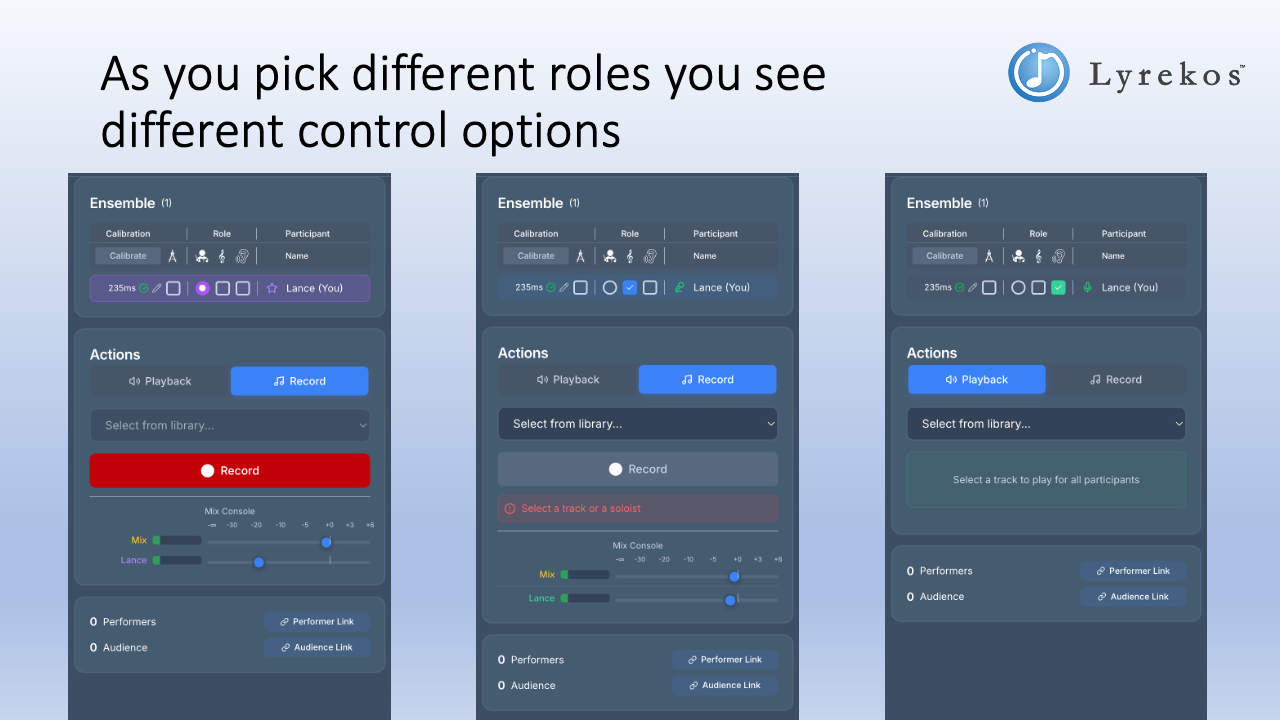
Modes are covered in detail in Lyrekos Modes.
The Library
The Library is where you manage the audio tracks used in your sessions. You can upload single tracks or create multi-track recordings — for example, individual SATB parts that Lyrekos combines into one synchronized mix. Whenever you are recording, each participant's contribution is recorded in a separate synchronized track. This is quite different from what common video conferencing tools do. The Organizer has mixer control.
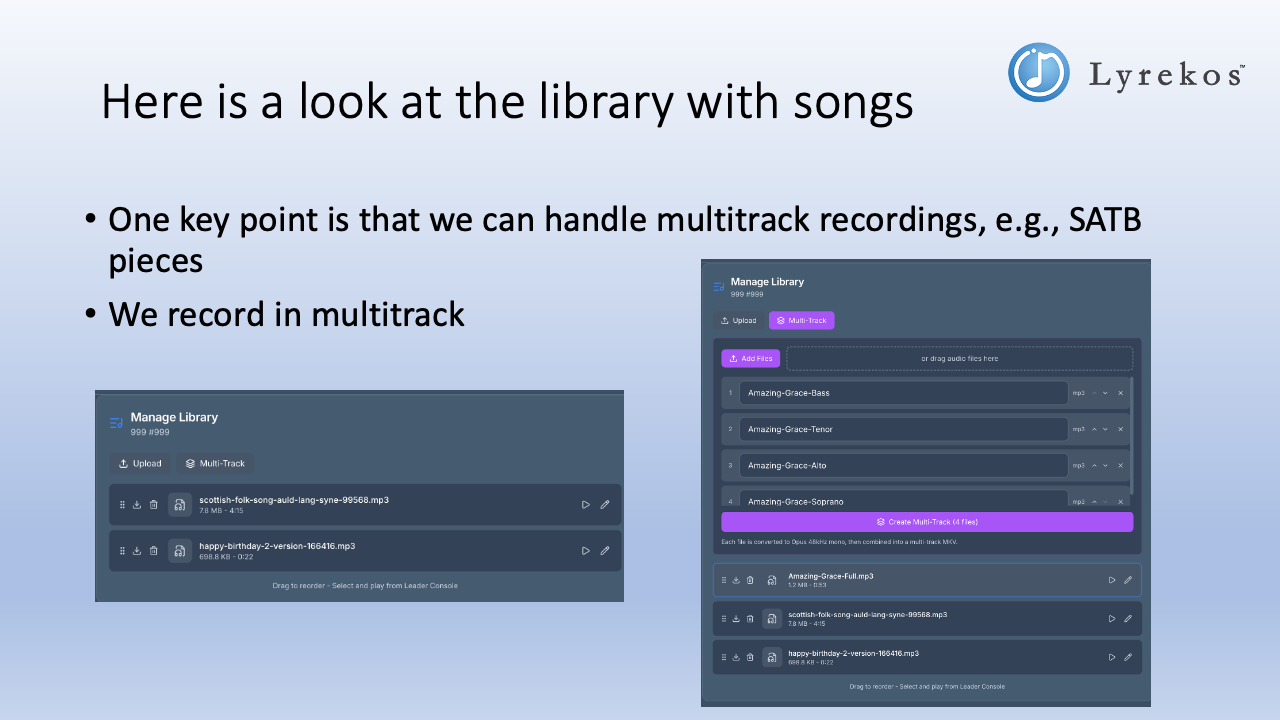
Tracks can be reordered by dragging. Select a track to make it available for playback from the Organizer Console.
Next Steps
- Lyrekos Modes — a deeper look at how Record, Accompanist, and Playback modes work
- Teaching Music Online: A Practical Guide for Educators — how to structure remote lessons and ensemble sessions with Lyrekos