
Lyrekos Modes
Last updated 2026-05-24
Looking for a hands-on walkthrough? The Lyrekos Quick Start Guide shows how to run a take in the Ensemble panel step-by-step. This article gives the conceptual model behind those mechanics — what's happening musically in each mode and what each participant hears.
It is useful to think about Lyrekos in terms of four modes. The Organizer switches between them during a session depending on what the group is doing.
- Conversation — the default. Everyone can talk with everyone else. (Audience excepted)
- Live — the Lead Performer sings or plays live, and that sound is recorded and sent to all participants. All sound is recorded in a multitrack manner. Roles matter in this mode.
- Unison — a backing track plays from the Library; Accompanists (and optionally the Organizer) sing along, and their recordings are separately synchronized. Roles matter in this mode.
- Playback — previously recorded material is shared with everyone.
Conversation Mode
Conversation mode is the default. If you are not doing anything else, you are in Conversation mode.
In Conversation mode, everyone can talk with everyone else — with one exception: Audience members are muted. They can hear but not speak. This makes Conversation mode behave like any other video conferencing system.
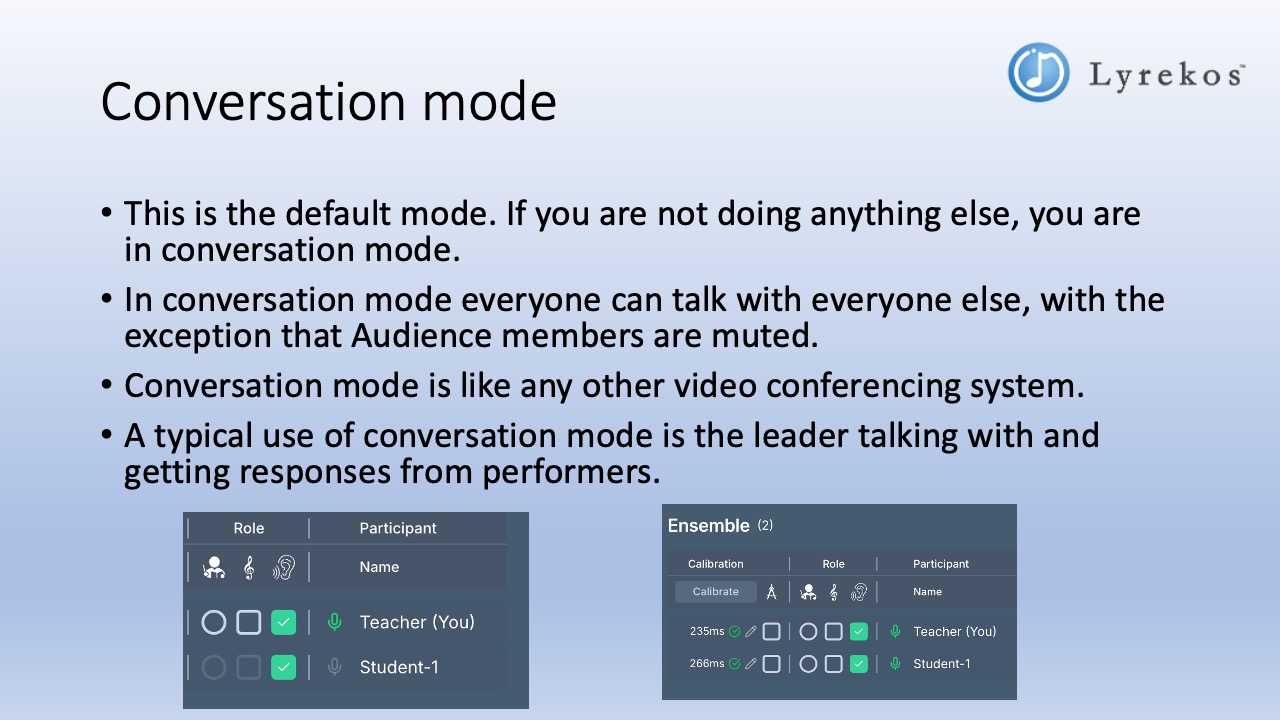
A typical use: the Organizer talks through the session plan, takes questions from Performers, and gets confirmation everyone is ready before switching to Live or Unison mode.
Live Mode
In Live mode, the Lead Performer is singing or playing music. That sound goes out to all accompanists and audience members in near-real-time, and is also being recorded and can be saved to the Library.
The Organizer is often the Lead Performer, but can designate any Performer as Lead Performer instead. There is only ever one Lead Performer at a time.
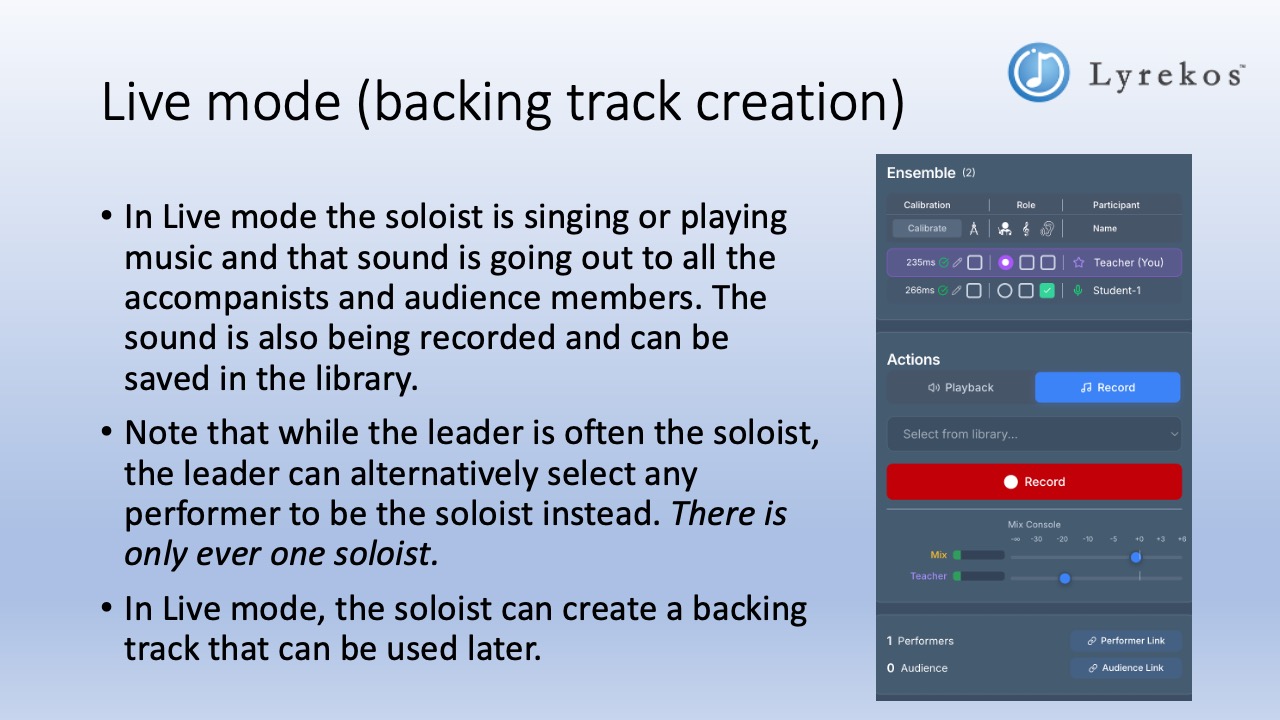
Live mode: recording a backing track
The simplest use of Live mode is the Organizer (as Lead Performer) performing a piece to create a backing track for later use. The Actions panel shows Record mode with the red Record button. Alternatively, the Organizer can go to the Library (sidebar) and pre-record a track directly using the Record Demo tile.
Live mode: leading a group
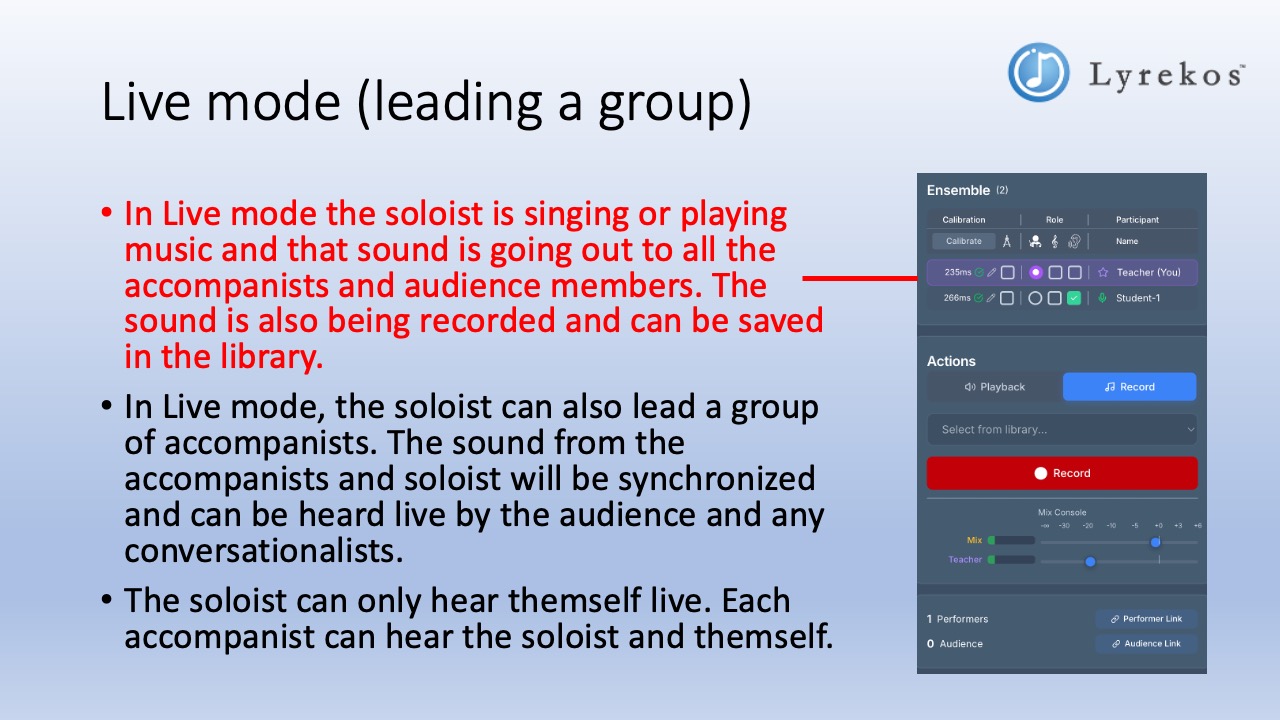
In Live mode the Lead Performer can also lead a group of Accompanists performing simultaneously. Each Accompanist's recording is synchronized with the Lead Performer's. The combined result can be heard by the Audience and any Listeners in near-real-time. A multi-track synchronized recording is also produced, which the Organizer can decide to save in the Library.
What each person hears during Live mode:
- The Lead Performer hears only themselves live.
- Each Accompanist hears the Lead Performer and themselves.
- The Audience hears the Lead Performer and all Accompanists synchronized.
Unison Mode
In Unison mode, the Organizer plays a backing track from the Library. Accompanists sing or play along with it. Their recordings are captured separately and synchronized, and the combined result is heard by the Organizer, the Audience, and any Listeners in near-real-time.
The Organizer can choose whether to sing along with the Accompanists or to listen only. Both variants use the same Playback setting in the Actions panel with a green Play button.
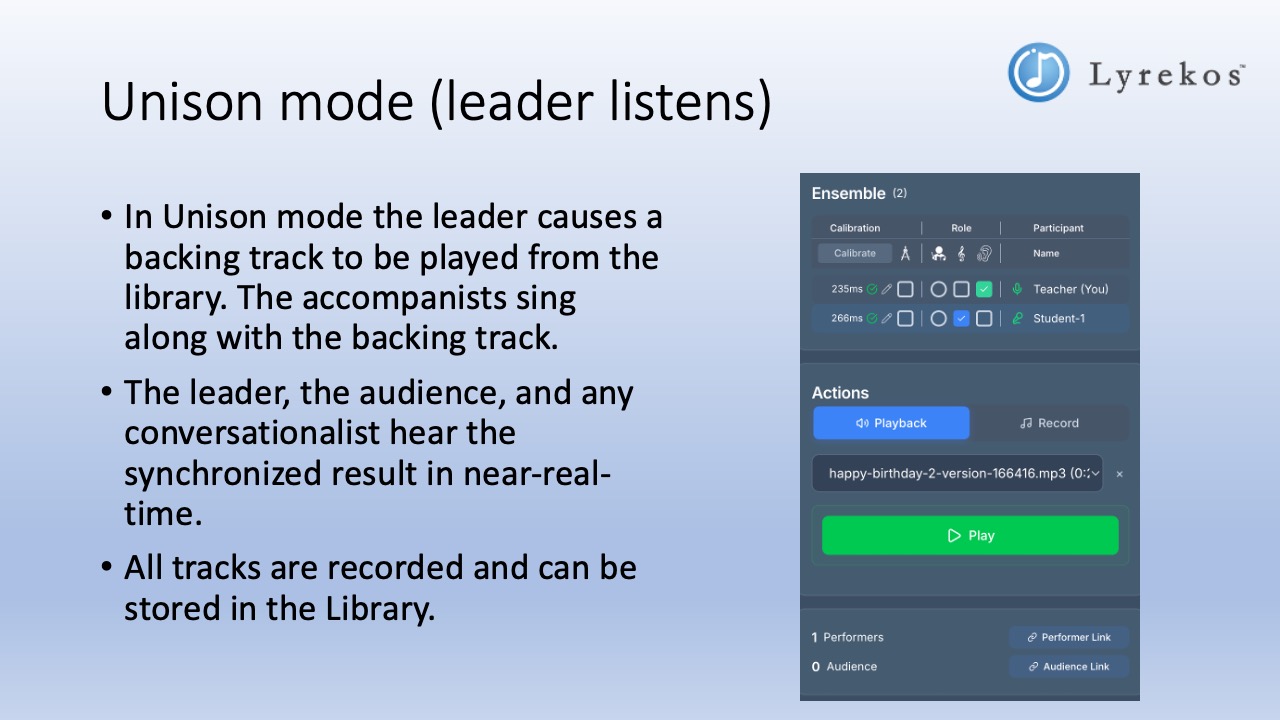
What each person hears during Unison mode:
- Accompanists hear the backing track and themselves.
- The Organizer (if listening only) hears the synchronized result of all tracks.
- The Audience hears the full synchronized mix.
All tracks are recorded and can be saved to the Library.
Playback Mode
In Playback mode, the Organizer selects any track — or any synchronized collection of tracks — from the Library and plays it for everyone. The Organizer controls the mix and can adjust levels for each track in real time.
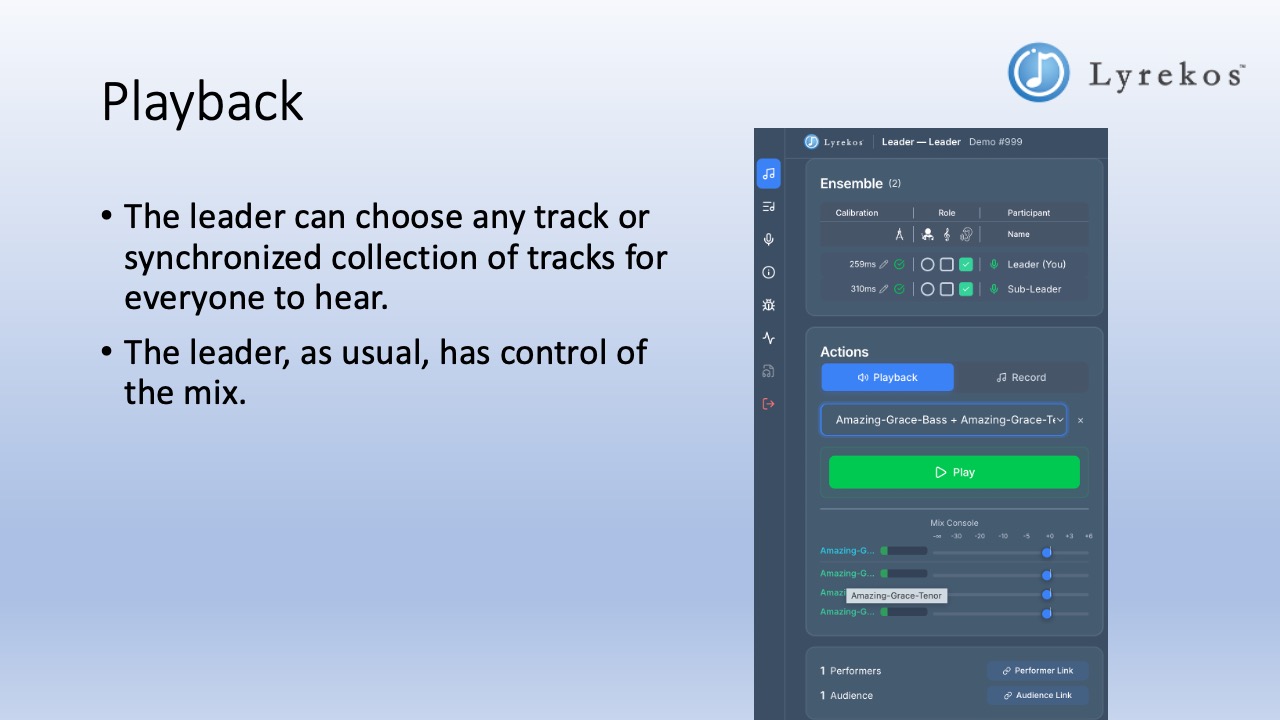
Playback mode is used to review what was just recorded, share a finished piece with the audience, or play a reference track before a session.
Saving Recordings
In both Live and Unison modes, everything is recorded in separate but synchronized tracks. The Organizer decides whether to save these to the Library at the end of each take.
There is also a dedicated option in the Library for the Organizer to record a backing track directly — separate from the Ensemble Actions panel.
What the Audience Sees
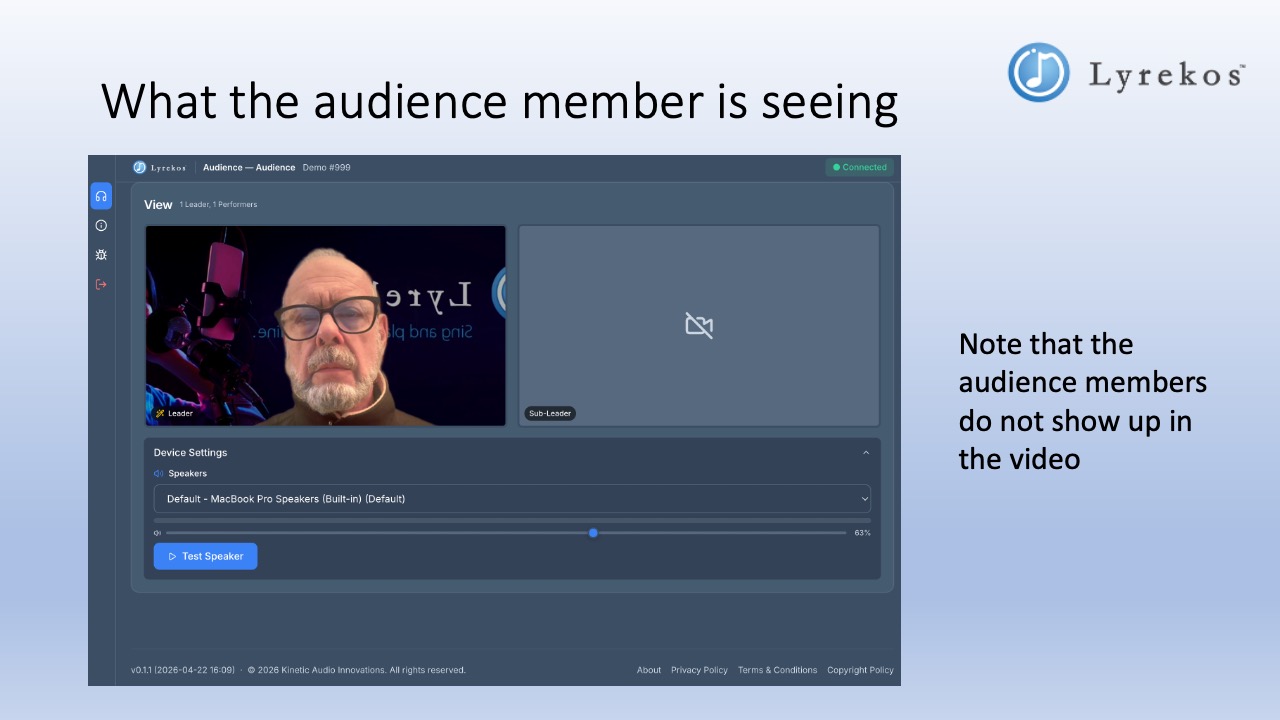
Audience members have a View panel showing video of the Organizer and Performers. Audience members themselves do not appear in the video feed — they are invisible to the performers.
Real-World Examples
The teaching circle
A practical sequence for a music lesson:
- Conversation mode — the teacher (Organizer and Lead Performer) explains the lesson plan and takes questions.
- Live mode — the teacher performs the piece the students will try. It is recorded in the Library.
- Conversation mode — the teacher says "now play along with me."
- Unison mode — the teacher plays the just-recorded performance back as a backing track. Students sing or play along. The synchronized result is heard by the teacher in near-real-time.
- Playback mode — the teacher plays the combined recording back for everyone and adjusts the mix.
The strong lead
For groups with mixed ability levels:
- First pass through Unison mode: only the strongest performers are set as Accompanists. Weaker performers stay silent as Listeners. The combined result is saved as a new backing track.
- Second pass through Unison mode: the new backing track (now containing the strong performers) plays back. All performers — including those who stayed quiet the first time — join in. The result is a fuller, more supported sound. Students who sang the first time can sing again or listen.
All together now
For large ensemble or worship scenarios:
The Organizer is the Lead Performer. A group of section leads are Performers set as Accompanists who sing along with the Organizer. An Audience of hundreds also joins in informally. This all runs in Live mode. The Organizer hears only themselves; each section lead hears themselves and the Organizer; the Audience hears all performers synchronized and sings along, each hearing themselves plus the full synchronized mix.
Next Steps
- Getting Started for the Organizer — the full Organizer control panel walkthrough
- Lyrekos' Flexible Building Blocks — a deeper look at how the modes work together with diagrams