
Often, the gear is fine, but the setup is a bit off.
We have found that even experienced vocalists can have hidden issues in their home studio setups that keep them from sounding their best. We built Lyrekos Acoustic Explorer after finding problems with the professional singers in our own SATB tests.
This isn’t about rating the singer. It is about troubleshooting the microphone, the headphones, the room, background noise, distortion and more. It is also useful for podcasters, if you are willing to try singing a few notes. It doesn’t have to be good singing. It is just for analyzing the room.
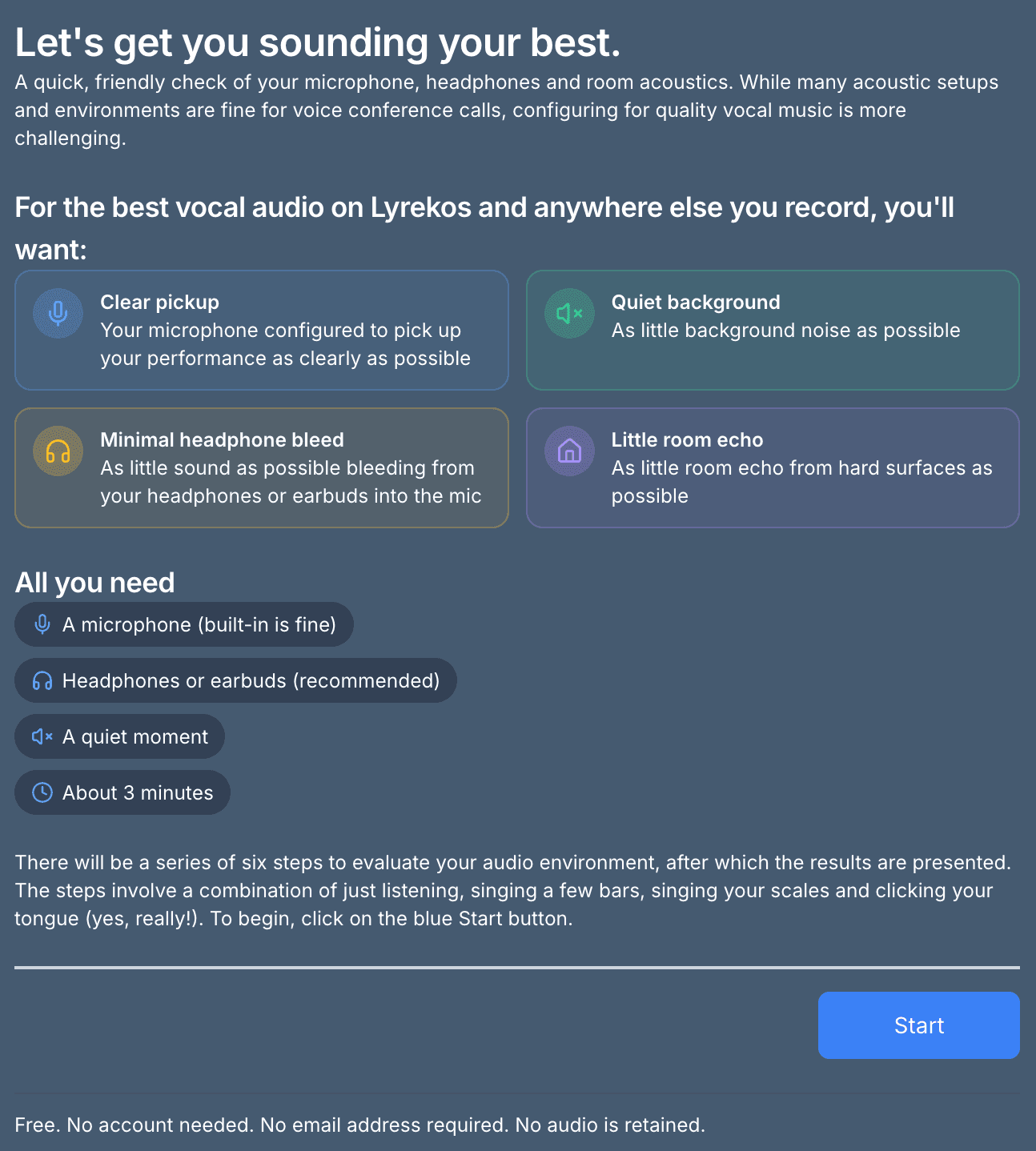
No account needed. No email address required. No audio is retained: we analyze it on our server and then delete it, keeping only the results. We don’t rate your singing. And please share this with someone who might benefit from it.
All you need is a microphone (built-in is fine), headphones or earbuds (recommended), a quiet moment and about 3 minutes. There are six short steps: a combination of just listening, singing a few bars, singing your scales and clicking your tongue. Yes, really.
Example 1: earbuds in an office
Below we go through two examples. Both were taken in the same office room, but with different microphones.
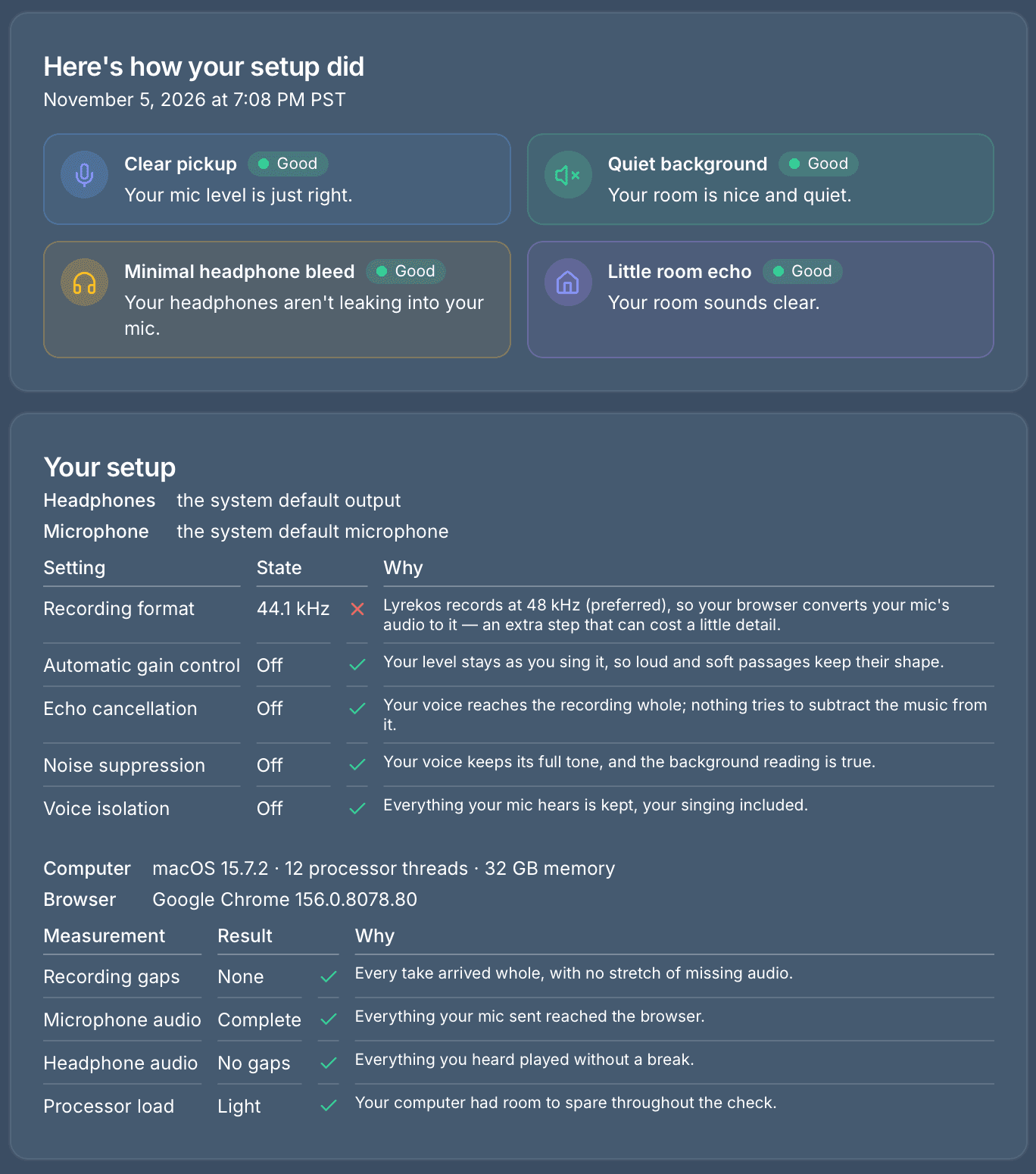
The first thing you get is an executive overview of the results and a record of your setup. As you can see, we were running Chrome on a Mac, here with Apple EarPods. Chrome is our preferred browser for this because we have fine control over the important parameters, like turning off echo cancellation. If I were to show you the results from Safari, you would see a lot of parameters listed as unknown.
The only alert here is the mic’s recording format: 44.1 kHz instead of our preferred 48 kHz. Unfortunately, that is controlled by the earbud hardware itself and can’t be changed. With other mics on a Mac, you can try changing it in Audio MIDI Setup (find it with Cmd-spacebar). 44.1 kHz is not a huge deal, and we do a very good job of resampling it.
Next, we look at where the singing landed compared to the equipment and the room. The background noise and headphone leak are extremely low, which is good, and the sung notes are not clipping and are near the target range.
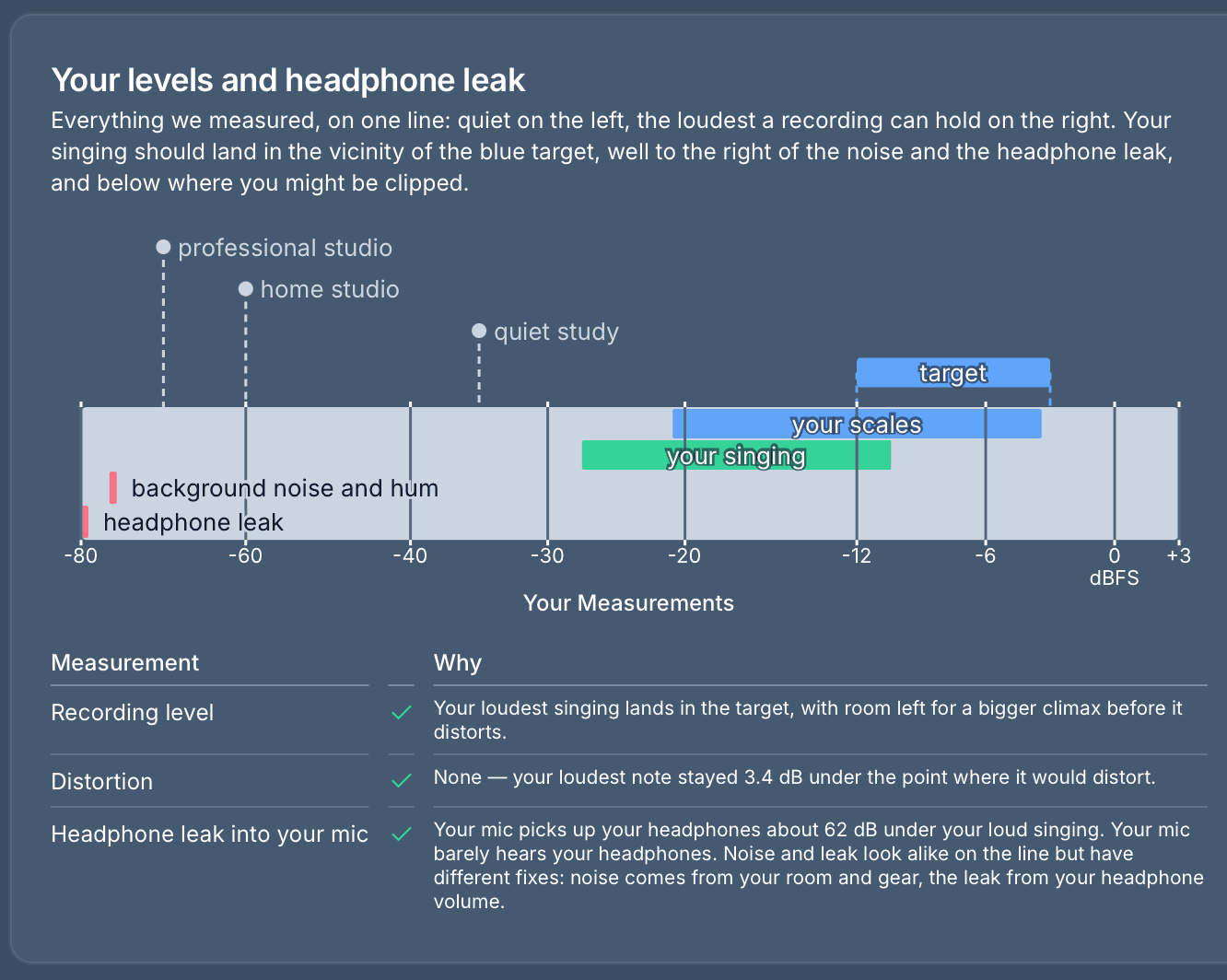
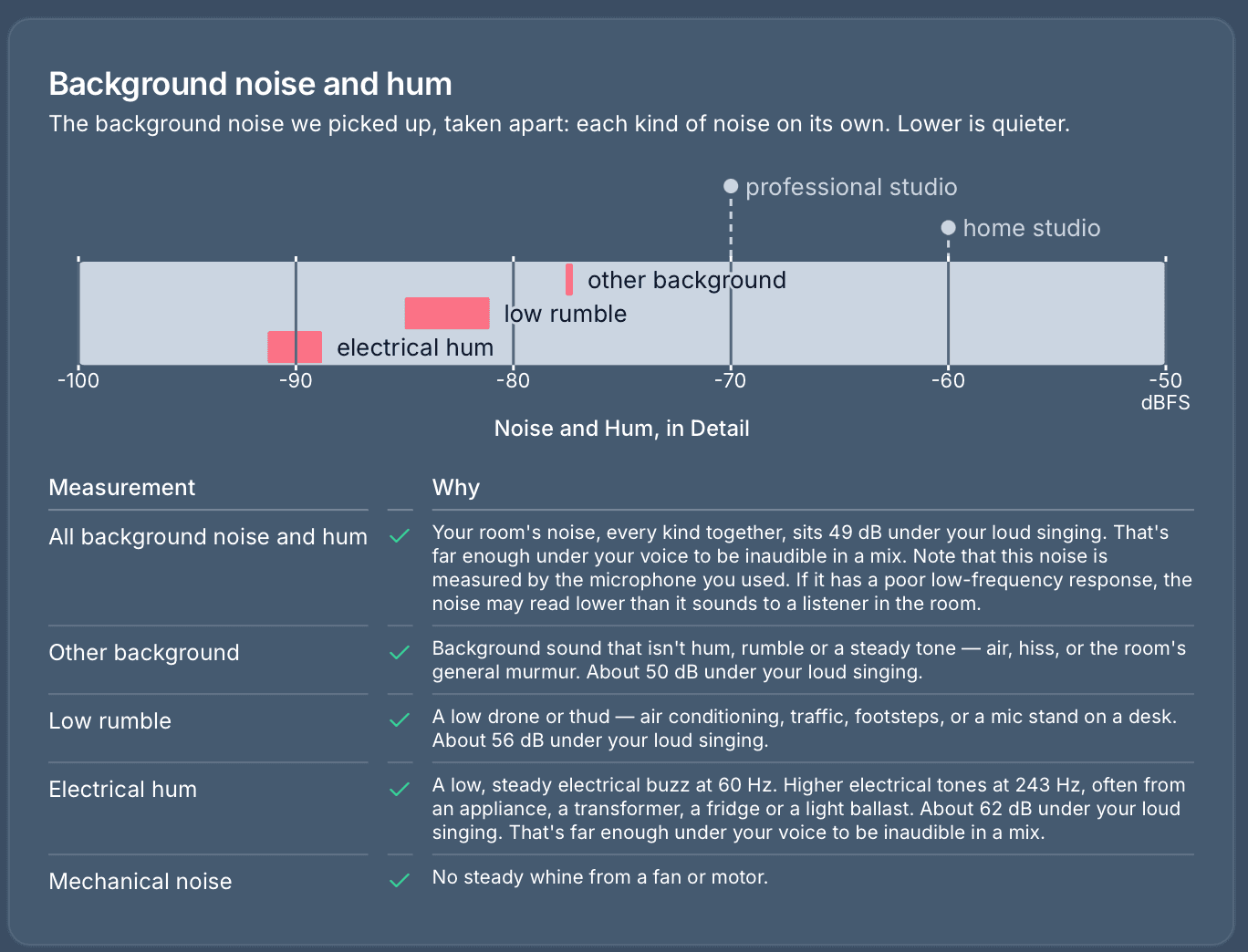
We will see later that the noise registers so low because this mic just doesn’t pick much of it up. That is not bad, but you, sitting in the room, might hear it louder than what we display here.
Here is more detail on the hum and noise. Since we are in the US, the electrical hum is at 60 Hz.
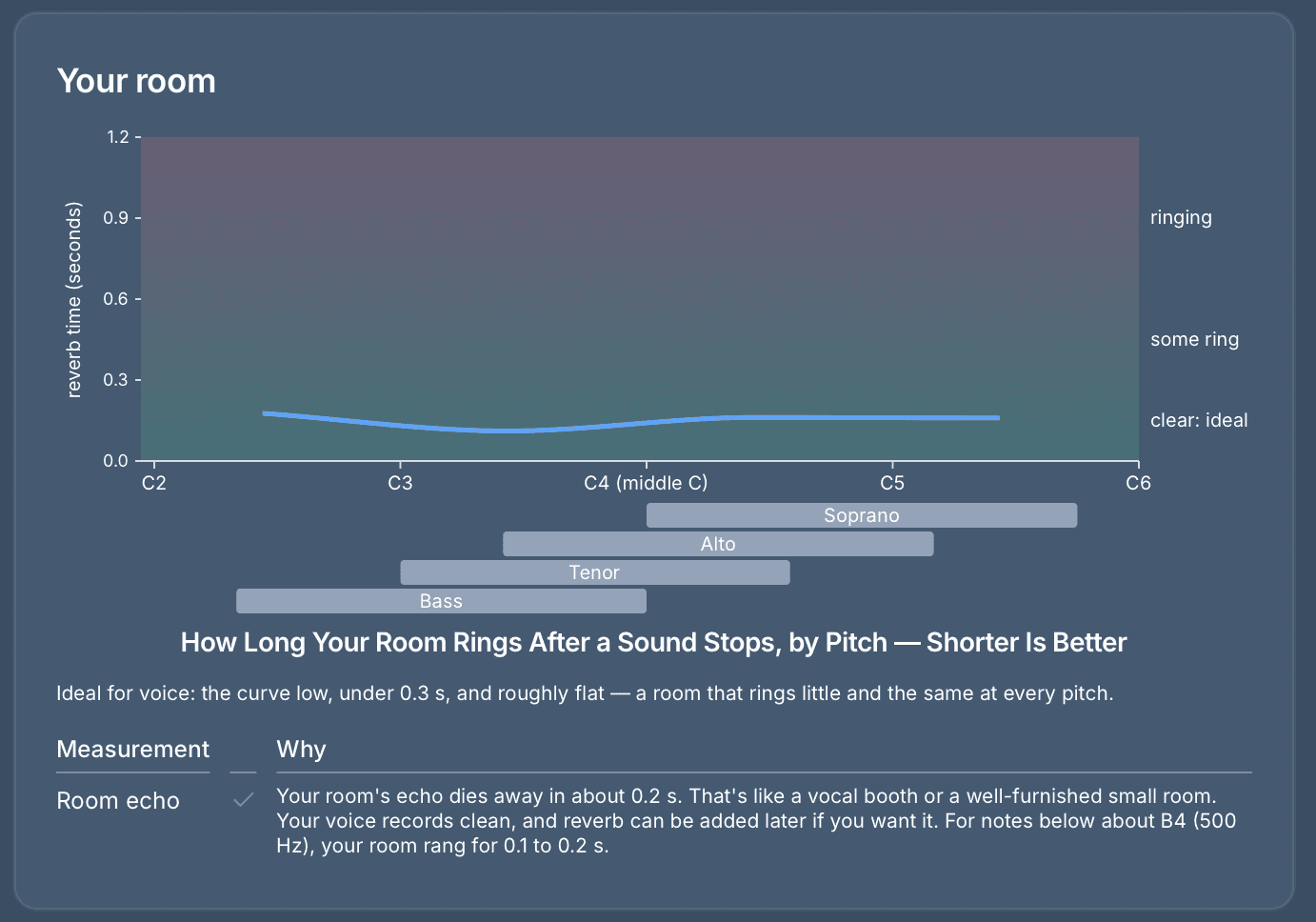
Next, we look at the reverb in the room. Hard walls give a lot of reverb (think of a stairwell), and a filled clothes closet gives very little. It is a lot easier to add reverb numerically than to take it out. Since Lyrekos is focused on singers collaborating from different places, it is awkward if some people have a lot of reverb and others just a little. If everyone has just a little, we can add the same reverb to everyone, so the group sounds like it is in the same room.
The results below are quite good. This is measured from your tongue clicks, which are sharp enough to reach quite high pitches. Those high pitches matter because even a tenor or bass has high-frequency components in their singing, especially from consonants.
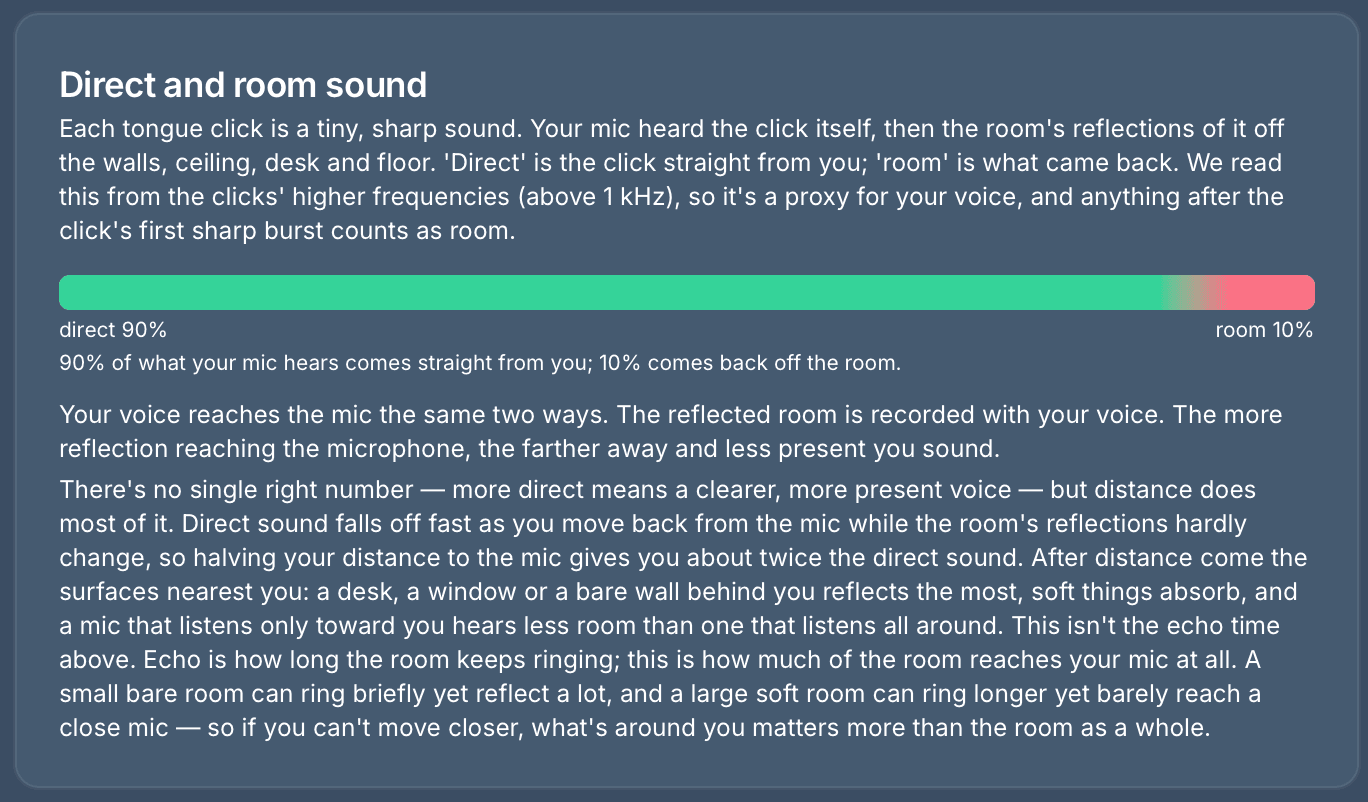
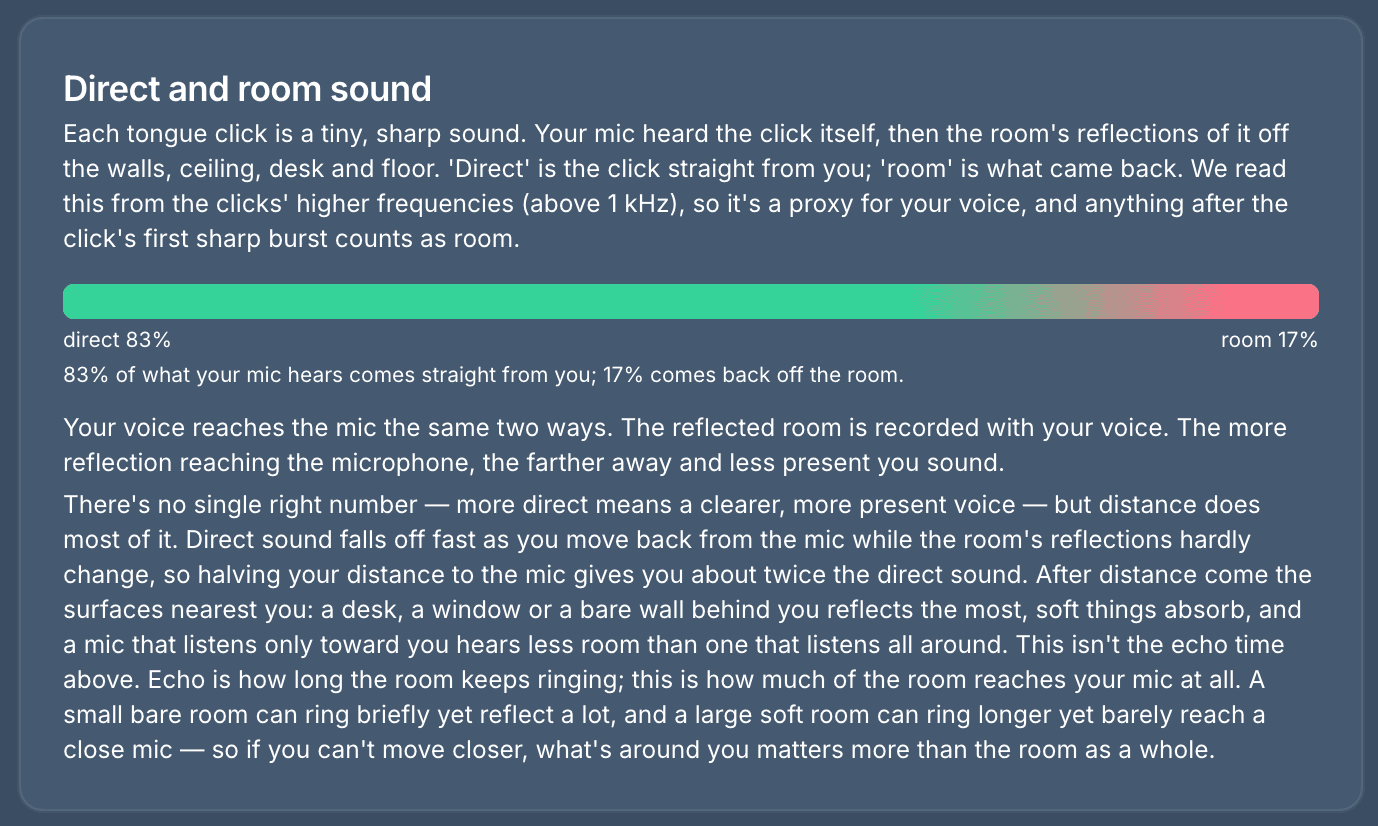
When you sing, some of the sound goes directly to the mic, and some bounces off the walls and then goes into the mic. The graph below shows how much of each is being captured.
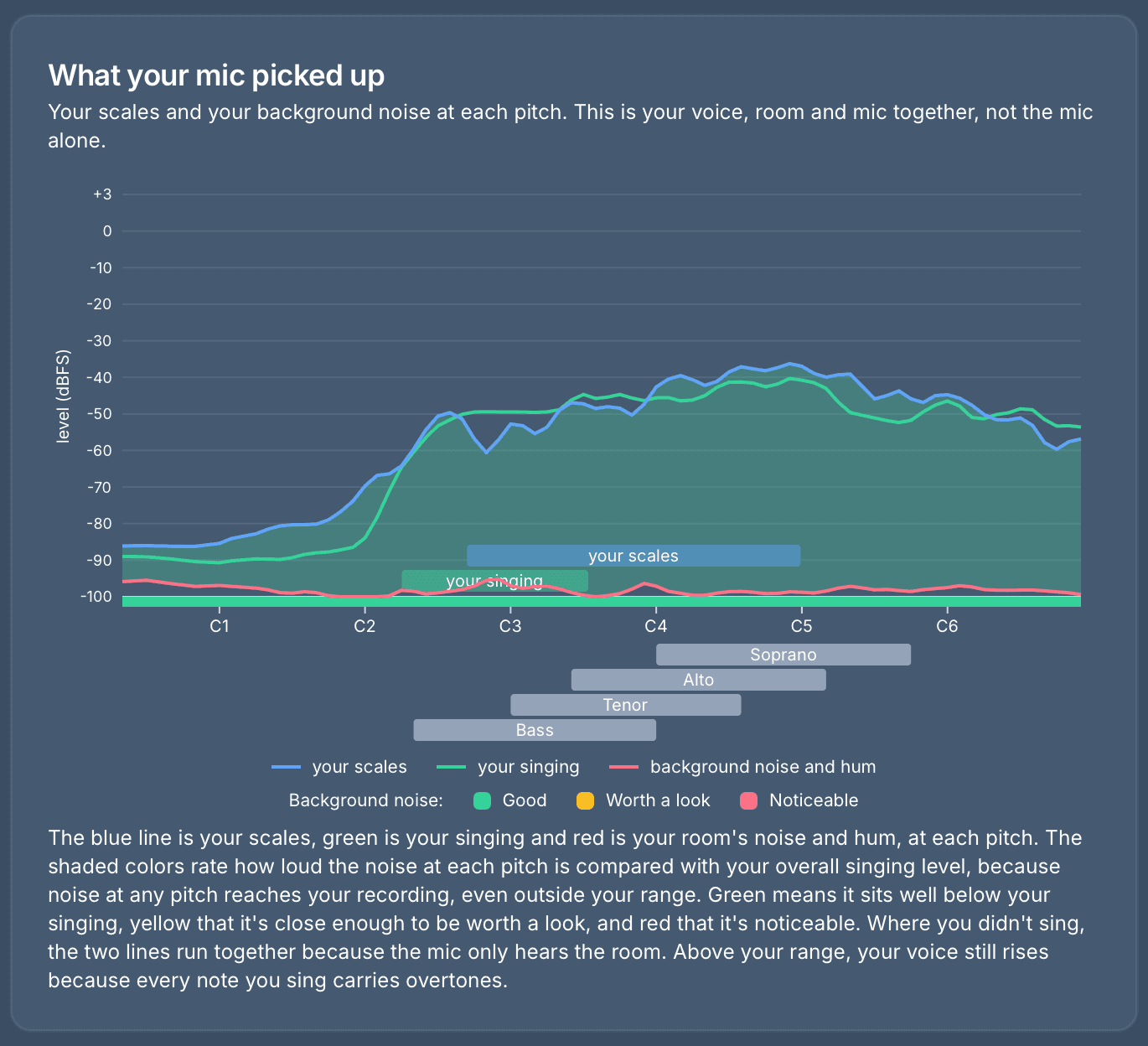
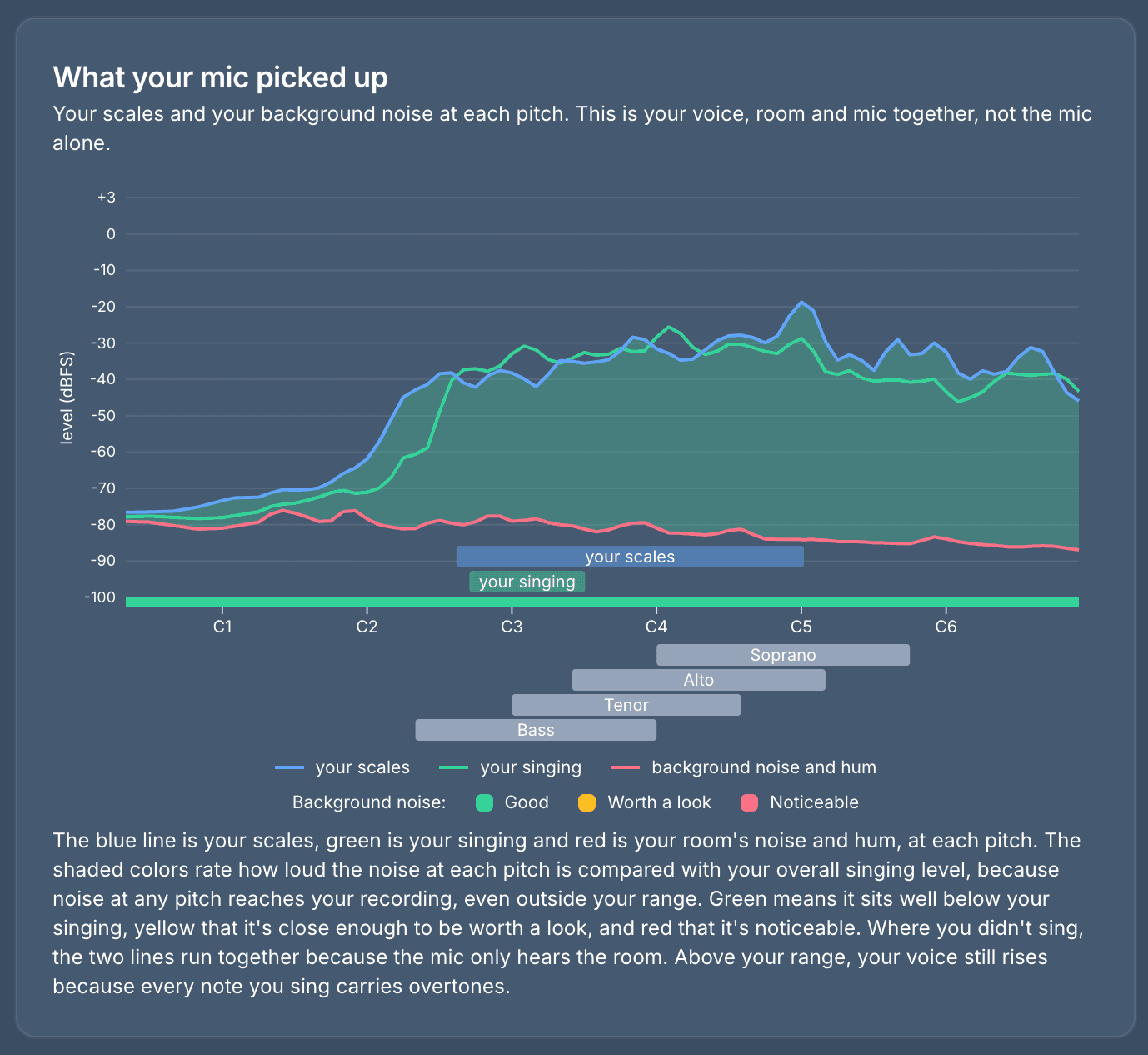
Finally, we see a graph of what the mic picked up from the singing compared to the noise, pitch by pitch. (C1, C2 and so on are successively higher C notes.) Obviously, you want the noise to be many dB lower than the singing.
Example 2: a better mic in the same room
Let’s look at a few of these with a slightly different setup: a higher-quality mic, but the same earbuds, the same room, the same computer and the same singer. This mic can also run at 48 kHz, so that alert is gone. A new one has taken its place.
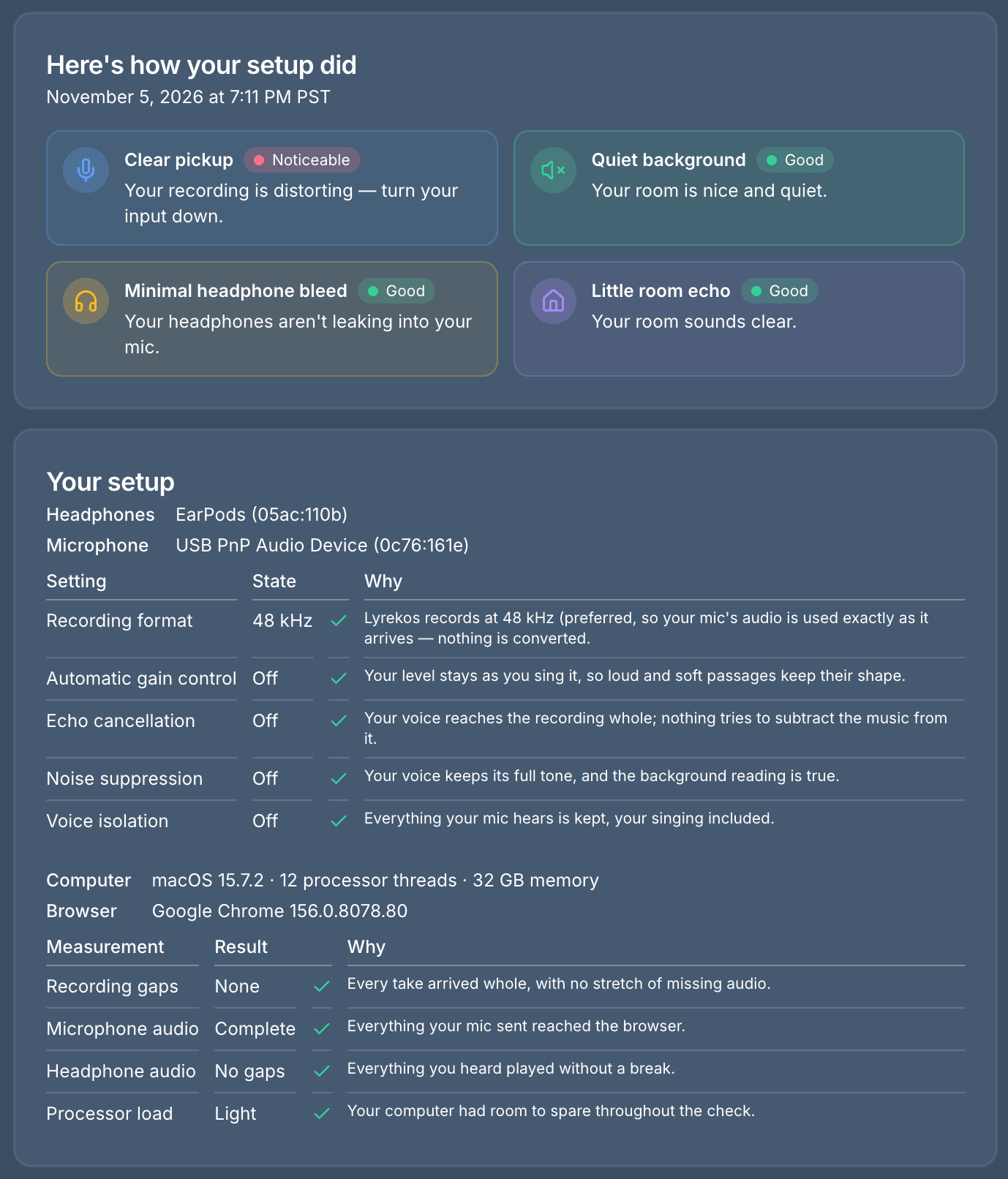
The new mic is a lot hotter, and the vocals are getting clipped. Those notes went past the most a recording can hold, and that part of the take is damaged for good. The fix costs nothing: turn the input down, on the mic or in your computer’s sound settings, and try again. This is the kind of problem you might never notice until a big climax in a real take.
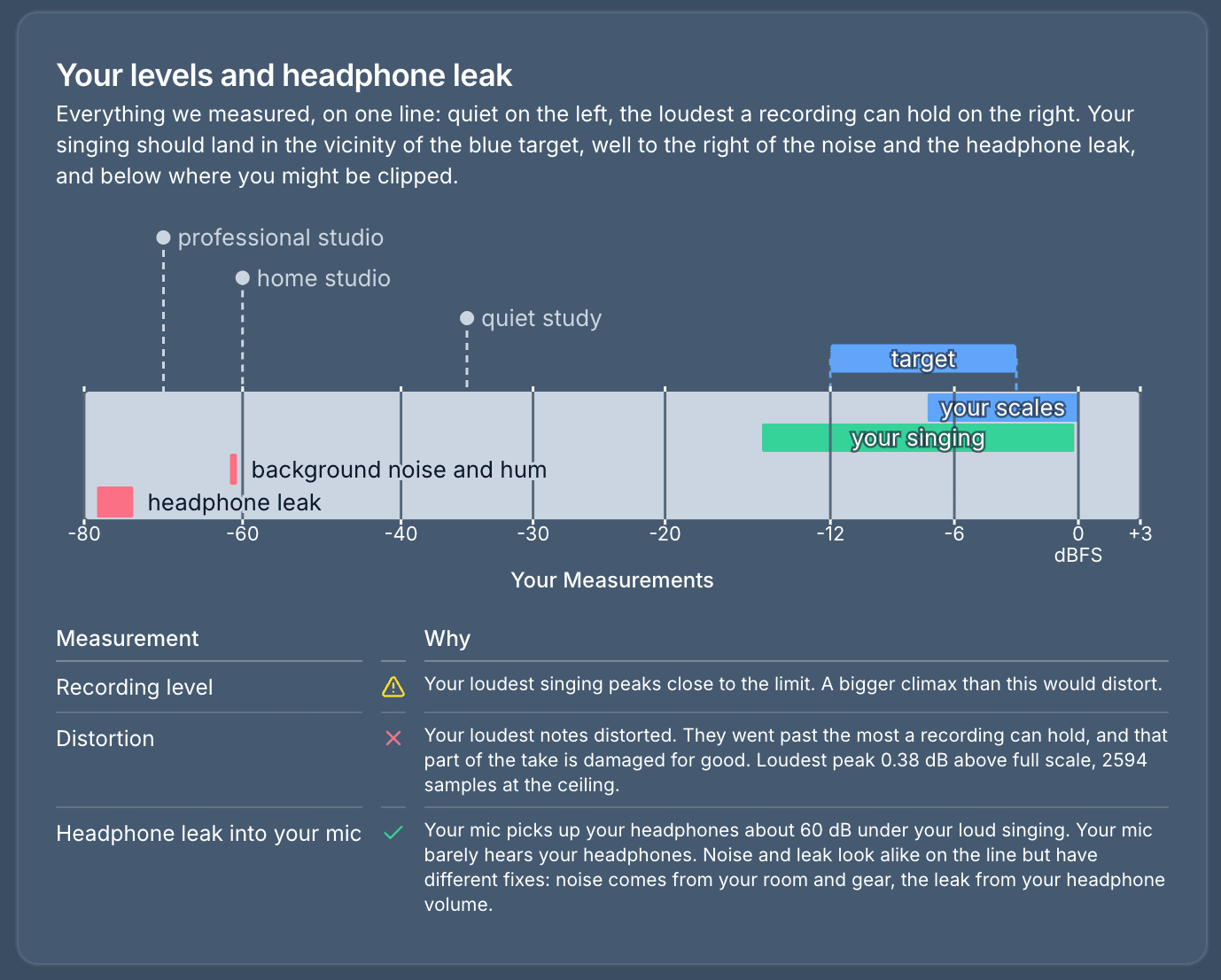
The noise also shows as louder, up from about -78 dBFS to about -60. The noise isn’t actually louder. The mic is just picking it up better.
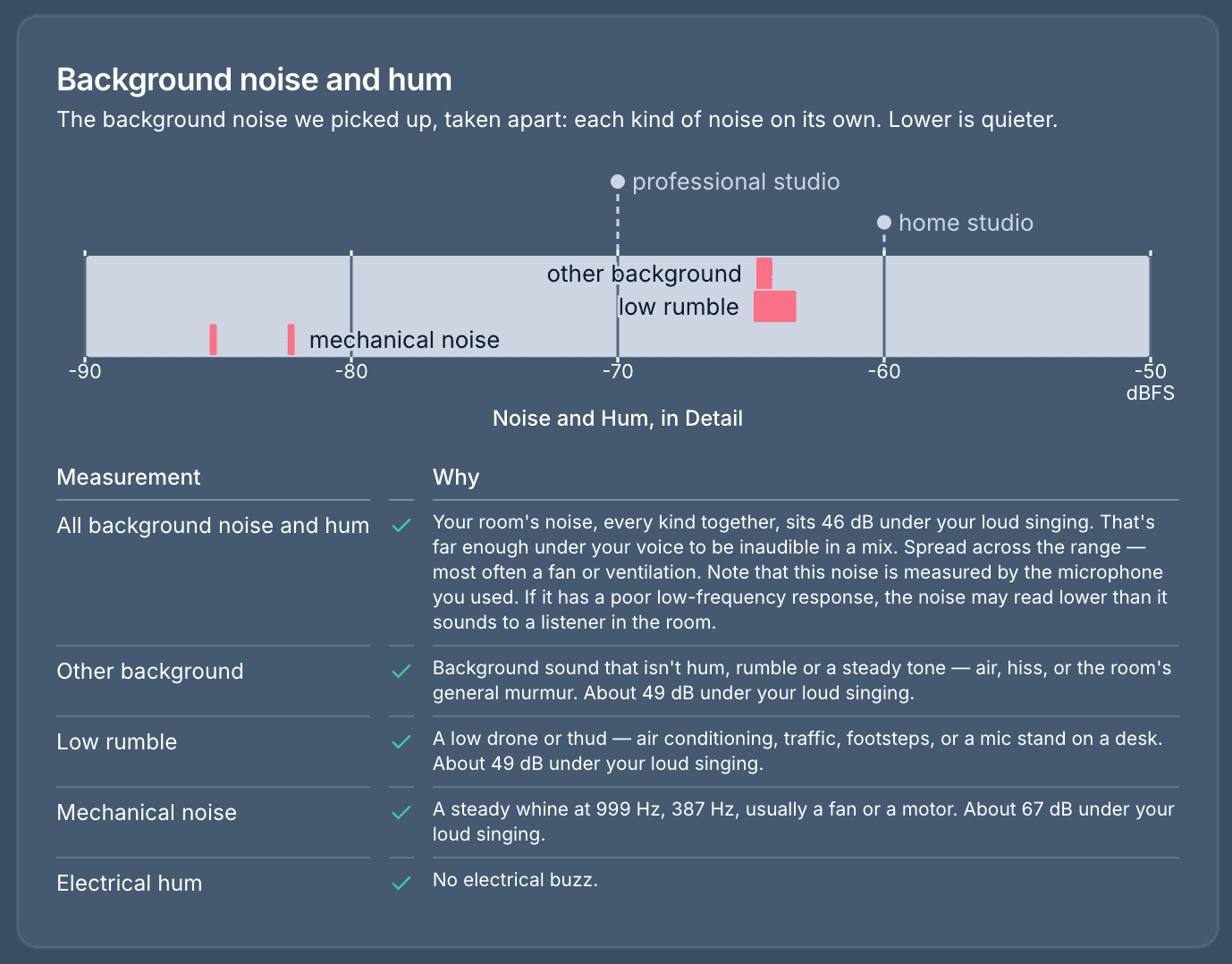
Look at how far the noise sits under the singing. With the earbuds it was 49 dB under loud singing, and with the better mic it is 46 dB under, nearly the same, because the singing went up too. Low rumble moved the most, from 56 dB under to 49 dB under, because this mic hears low frequencies much better. So that’s the number to watch: how far the noise sits under your singing, not where it lands on the line.
One other difference: the 60 Hz hum from the first example is gone. We don’t know for sure why, but hum can be picked up in a mic’s cable as well as through the air, and these two mics use different cables.
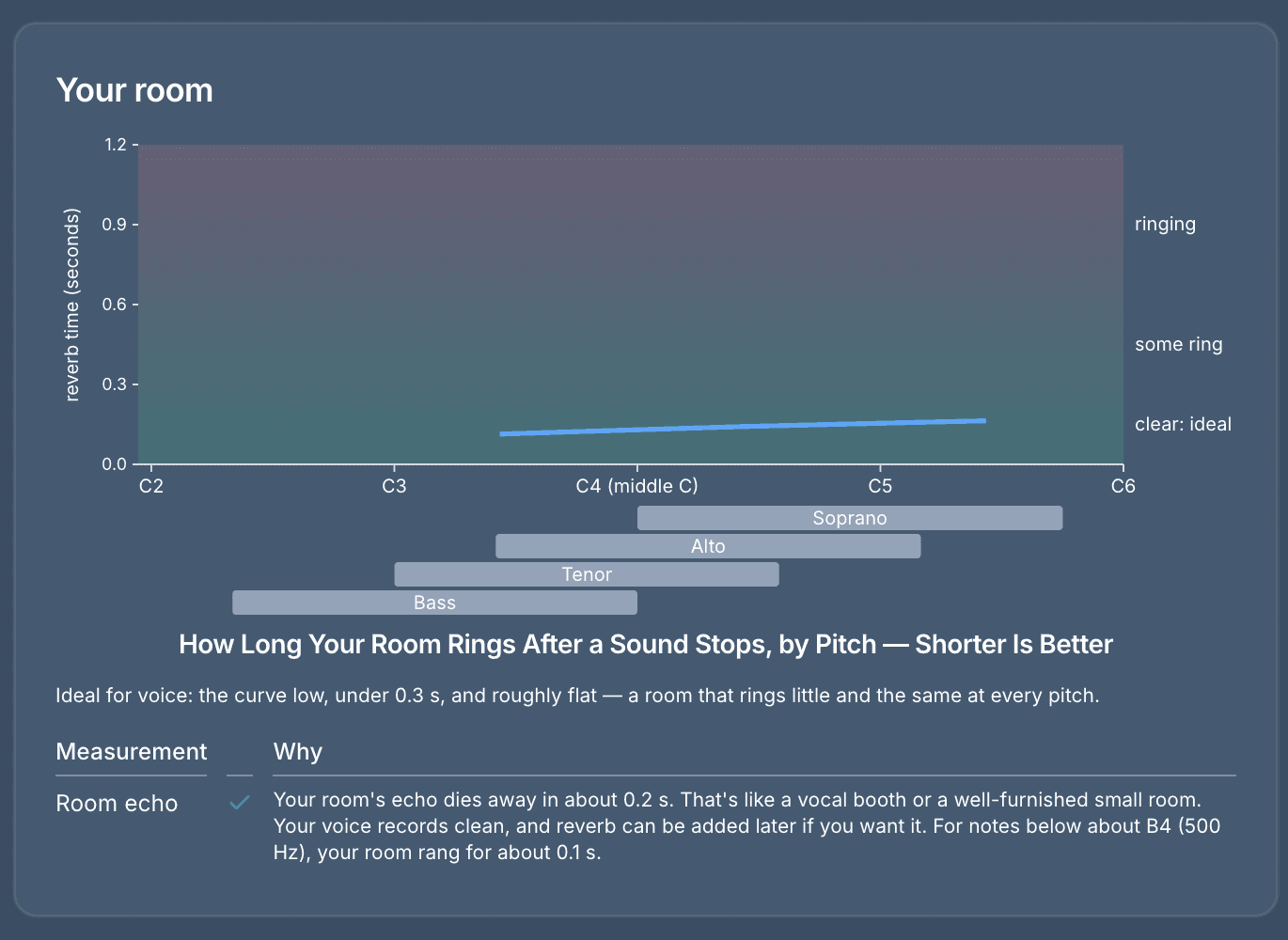
The room hasn’t changed, so its echo still dies away in about 0.2 seconds.
The direct sound did shift, from 90 percent to 83 percent. It is the same room, but a different mic sits in a different spot. As the explanation below says, distance to the mic does most of the work here.
And, finally, the same view of the singing and the noise, pitch by pitch. Both lines have moved up, and the noise line has moved up the most at the low end, which is the better low-frequency pickup showing itself. The gap between the singing and the noise is still wide.
When you are done
You can download your results, have us email a link to up to five people (a teacher or a friend, say) that works for 30 days, tell us whether the check was helpful, or, of course, learn more about what Lyrekos does.
Frequently asked questions
How can I test my home studio setup for singing?
Lyrekos Acoustic Explorer checks your microphone, headphones and room in about 3 minutes, for free, from your browser. Six short steps combine just listening, singing a few bars, singing your scales and clicking your tongue. It then reports on your mic level and distortion, background noise and hum, headphone leak into your mic, and room echo.
Do I need an account, and is my audio saved?
No account or email address is needed, and no audio is retained. Your audio is analyzed on our server and then deleted. Only the results are kept: the measurements and charts you see, which you can download or send to up to five people as an emailed link that works for 30 days. You don’t have to give us your name or email address to use it, though like most websites, our server logs keep IP addresses. If you share your results, we use the addresses you enter to send the link, and we don’t add those people to our mailing list. The only email address of yours we collect is the one you choose to give us with your feedback. We may reply and may add you to our mailing list, and you can unsubscribe at any time. It doesn’t rate your singing. It only looks at your setup.
Which browser works best for Acoustic Explorer?
It runs in all browsers, but Chrome works best, because Chrome gives fine control over settings like echo cancellation. In Safari, a lot of parameters show as unknown.
Why does my singing distort when I record?
If your loudest notes go past the most a recording can hold, they clip, and that part of the take is damaged for good. A more sensitive mic makes this more likely. The fix is to turn your input down and record again.
Why does a better microphone show more background noise?
The room hasn’t gotten louder. The mic is just picking up more of it, especially at low frequencies. What matters is how far the noise sits under your singing. In our example, the noise reading rose by about 18 dB with a better mic, but it was still 46 dB under loud singing, compared with 49 dB before.
Can podcasters use Acoustic Explorer?
Yes, if you are willing to try singing a few notes. It doesn’t have to be good singing. It is just for analyzing the room.

Lance Glasser
Lance is CEO and Co-founder of Kinetic Audio Innovations. He was previously a faculty member at MIT, Director of the Electronics Technology Office at DARPA, and CTO at KLA. He also makes sculpture, which has nothing to do with audio but explains the hundreds of pounds of bronze in his house.